Website Launch Checklist: 20 Things to Check Before Going Live in Dubai
Twenty checks we run before every website launch — from Google settings and redirects to forms, email deliverability, speed and UAE privacy rules. Most take minutes; skipping them can cost months.

Twenty checks we run before every website goes live, grouped into five areas: Google and SEO, speed and mobile, forms and email, security and ownership, and local and legal. Most take minutes. Skipping them can cost months of lost enquiries and rankings.
Launch day is exciting — and it is exactly when small mistakes slip through. A form that emails nobody. A setting that tells Google to ignore the whole site. Old addresses that now lead to “page not found”. None of these are visible when you admire your new home page, which is why they survive for weeks.
We use this checklist on every website we launch for businesses in Dubai and across the UAE. Work through it before you go live, or use it to audit a site that launched recently.
Google and SEO
1. Search engines are allowed in
WordPress has a setting called “Discourage search engines from indexing this site” (Settings → Reading). It is ticked on most development sites — and if it is still ticked at launch, Google is told to stay away. It is the single most common launch mistake we see. Untick it on the live site, then check the page source for a noindex tag.
2. Old addresses redirect to new pages
If you are replacing an existing website, every old page that Google knows about needs a permanent (301) redirect to its new equivalent. Without redirects, your rankings and the links other sites have pointed at you are lost overnight. Make a list of your old URLs before you switch anything off. Our website redesign projects always include this step.
3. Every page has its own title and description
The page title and meta description are what people see in Google’s results. Each page should have a unique title of about 50–60 characters that includes what the page is about and where — “Web Design Company in Dubai”, not “Home”. Write descriptions of around 150 characters that give people a reason to click.
4. One main heading per page
Each page should have a single H1 heading that says what the page is about, followed by H2 and H3 headings in a logical order. It helps visitors scan the page and helps Google understand it.
5. Google Search Console and your sitemap
Verify your website in Google Search Console and submit your sitemap (on WordPress it is usually at /wp-sitemap.xml). Search Console tells you which pages Google has indexed, which searches you appear for, and any problems it finds. Read more in our technical SEO guide.
6. Analytics and conversion tracking
Install Google Analytics 4 — directly or through Google Tag Manager — before launch, not after, so you have data from day one. Set up tracking for the actions that matter: form submissions, WhatsApp clicks and phone taps. A visitor count tells you very little; enquiries tell you everything. Our analytics setup service covers this.
Speed and mobile
7. Test on real phones
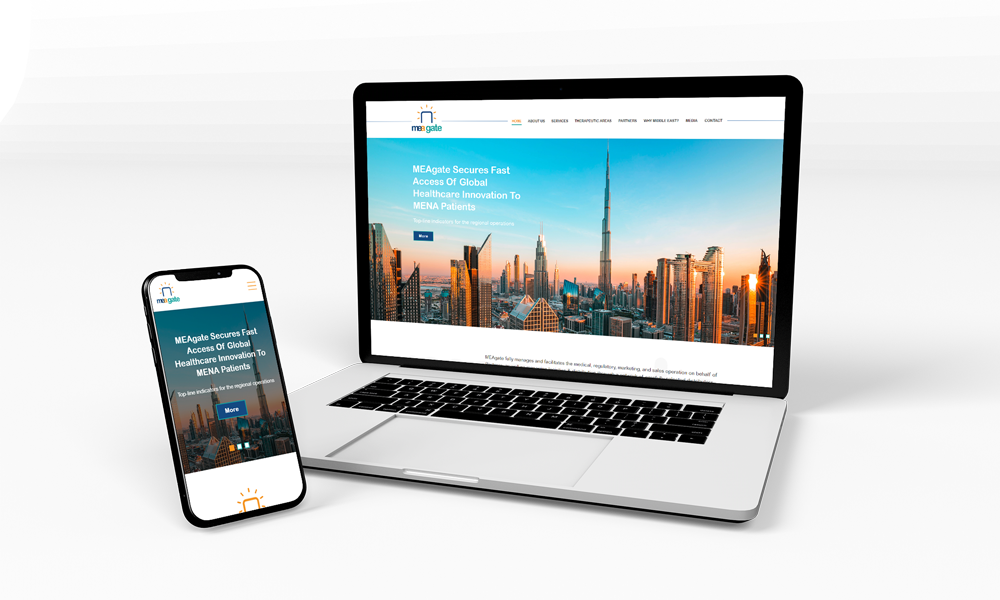
Most visitors in the UAE arrive on a phone. Open every page on an iPhone and an Android device: check that text is readable without zooming, buttons are easy to tap, menus open and close, and nothing scrolls sideways. Our responsive web design page explains what “mobile-friendly” should really mean.
8. Check page speed
Run your home page and a few key pages through PageSpeed Insights. Google measures real-world loading through its Core Web Vitals. The usual culprits for slow sites are oversized images, too many plugins and cheap hosting.
9. Compress and describe every image
Large photos straight from a camera can be several megabytes each. Resize and compress them before uploading. Give every meaningful image a short description (alt text) — it helps visually impaired visitors and helps your images appear in Google Images.
10. Turn on caching and compression
Ask your developer or host to switch on page caching, browser caching and compression (gzip or Brotli). These settings alone can make a site feel twice as fast.
Forms and email
11. Send a test enquiry from every form
Fill in every form on the live site — contact page, quote pop-up, landing pages — and confirm each one arrives in the right inbox. Then reply to it to make sure replies go to the customer, not to the website.
12. Make sure website email does not land in spam
This catches many businesses out. Website emails sent straight from a hosting server often land in spam — or disappear — especially when your company email runs on Google Workspace or Microsoft 365. The fix is to send website email through your real email account using an SMTP plugin, and to publish SPF, DKIM and DMARC records for your domain so mail providers trust it. Our business email team sets this up.
When we moved browser.ae to its new website, every enquiry was “sent” by the server — and none reached the inbox. Routing the email through Google Workspace and adding a DKIM record fixed it in an afternoon. Test this before your customers find it for you.
13. WhatsApp and click-to-call work
In the UAE many customers would rather message than fill in a form. Check that your WhatsApp button opens a chat with the right number and that phone links dial correctly on a mobile.
14. Spam protection is on
Public forms attract bots within days. Add invisible spam protection such as Google reCAPTCHA v3 so real customers are not asked to tick boxes, while junk submissions are filtered out.
Security and ownership
15. HTTPS everywhere
Your site should load only on https://, with every version of your address — with and without “www”, with and without “https” — redirecting to one main address. Free certificates from Let’s Encrypt are fine for most sites. See our SSL installation page for details.
16. Backups and updates
Set up automatic daily backups stored away from your hosting server, and a routine for software updates. A maintenance plan covers both, so a problem becomes a quick restore rather than a rebuild.
17. You own every account
Your domain, hosting, website admin, Google Search Console and Analytics should all be in your company’s name, with logins stored safely. Your developer should have access — not ownership.
Local and legal
18. Google Business Profile matches your website
Your business name, address and phone number should be identical on your website, your Google Business Profile and any directories. Consistent details help you appear in the map results when people search for services near them — the core of local SEO.
19. Privacy policy and terms
If your website collects names, emails or phone numbers, publish a clear privacy policy that explains what you collect and why. The UAE’s personal data protection law, Federal Decree-Law No. 45 of 2021, sets out how businesses should handle personal data — ask your legal adviser what applies to you.
20. A helpful “page not found” page
Mistyped addresses happen. A good 404 page apologises briefly, links to your main services and offers a way to get in touch, so a lost visitor becomes an enquiry instead of a bounce.
After launch: the first 30 days
- Week 1: check Search Console for crawl errors and confirm your pages are being indexed.
- Week 2: review which pages visitors land on and where they leave.
- Week 3: compare enquiries against your old website.
- Week 4: fix anything the data points to — a slow page, a confusing form, a missing service page.
A website is never really finished. The businesses that get the most from theirs treat launch as the start of a steady routine of small improvements.
Planning a new website, or not sure your current one passes these checks? Explore our web design services and SEO audit, or get in touch — we will review your site and tell you honestly what needs fixing.
Questions we are often asked
What is the most common mistake when launching a website?
Leaving search engines blocked. WordPress has a "Discourage search engines" setting that is often ticked during development; if it stays ticked at launch, Google is told not to index the site.
Why do my website form emails go to spam?
Emails sent directly from a hosting server are often treated as untrusted, especially when your company email is on Google Workspace or Microsoft 365. Send website email through your real mail account with an SMTP plugin and publish SPF, DKIM and DMARC records for your domain.
Do I need redirects when I replace my old website?
Yes. Every old page Google knows about needs a permanent 301 redirect to its new equivalent, or you lose the rankings and links those pages had built up.
What should I do in the first month after launch?
Check Google Search Console for errors and indexing, review which pages people land on and leave, compare enquiries with your old site, and fix whatever the data points to.